
Introduction to SolidWorks API for Beginners
New to CAD automation? This beginner-friendly guide introduces the SolidWorks API, helping you understand how it works and how to start automating your design tasks.
4/16/20262 min read
Overview
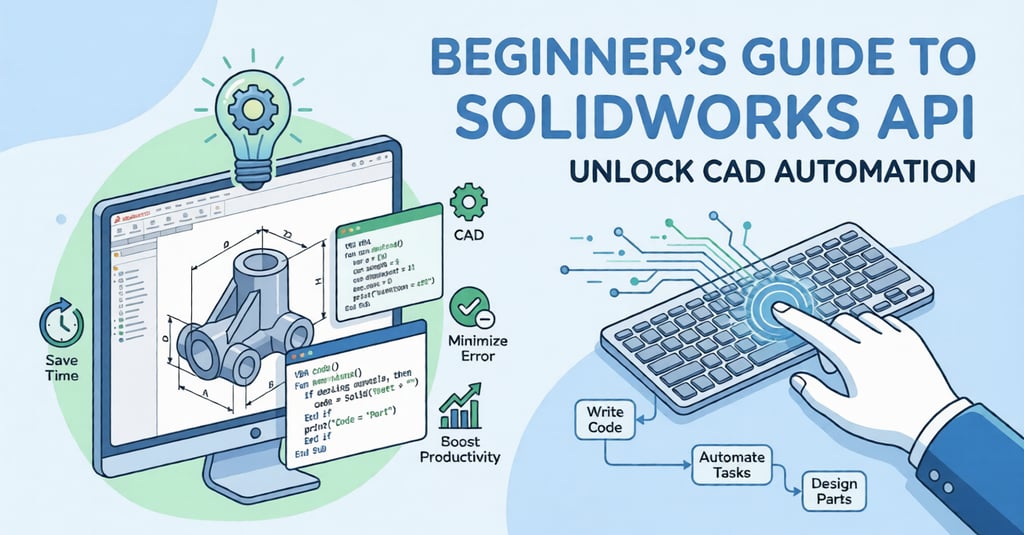
CAD automation is becoming an essential skill for engineers who want to improve productivity and reduce repetitive work. SolidWorks, one of the most widely used CAD tools, offers a powerful API that allows users to automate tasks and customize workflows.
If you're a beginner, understanding the SolidWorks API is the first step toward building smart and efficient design solutions.
What is SolidWorks API?
The SolidWorks API is a programming interface that allows you to control SolidWorks using code. It provides access to models, features, drawings, and other elements within the software.
With the API, you can automate tasks such as:
Creating parts and assemblies
Modifying dimensions and parameters
Generating drawings automatically
Extracting design data
In simple terms, it helps you replace manual work with automated processes.
Why Learn SolidWorks API?
Learning the SolidWorks API can give you a strong advantage in your career.
Benefits include:
Saving time on repetitive tasks
Reducing human errors
Improving design consistency
Building custom tools for your workflow
Increasing overall productivity
For beginners, it opens the door to CAD automation and advanced design capabilities.
Programming Languages Used
The SolidWorks API supports multiple programming languages, making it flexible for different users.
Common options include:
VBA (Visual Basic for Applications) – Best for beginners
C# (.NET) – Ideal for professional development
VB.NET – Easy to learn and widely used
If you are just starting, VBA is the easiest way to begin your automation journey.
How SolidWorks API Works
The SolidWorks API follows an object-based structure. Everything in SolidWorks—parts, assemblies, features—is treated as an object.
Basic workflow:
Connect to SolidWorks
Access the active document
Interact with objects (features, sketches, etc.)
Perform operations using code
This approach allows you to control and automate almost every function inside SolidWorks.
Getting Started: Setup Guide
Requirements:
SolidWorks installed
Visual Studio or SolidWorks VBA editor
Basic programming knowledge
Steps to Begin:
Open SolidWorks and access the VBA editor
Record a simple macro
Study the generated code
Modify and run your script
Starting with macro recording is the easiest way to understand how the API works.
First Automation Example
A simple beginner task could be:
Opening a part file
Changing a dimension
Saving the updated file
These small steps help you learn how to interact with SolidWorks programmatically.
Tips for Beginners
To learn effectively:
Start with simple macros
Practice regularly with real examples
Understand SolidWorks workflows before automating
Use official documentation and community resources
Gradually move to advanced languages like C#
Consistency is key to mastering the API.
Real-World Applications
The SolidWorks API is widely used in industries for:
Automating repetitive design tasks
Batch processing files
Creating custom engineering tools
Generating reports and data
Integrating with other systems
These applications improve efficiency and reduce manual effort.
Conclusion
The SolidWorks API is a powerful tool that helps beginners step into the world of CAD automation. By starting with simple macros and gradually learning advanced techniques, you can automate complex tasks and improve your workflow significantly.
With the right approach and consistent practice, you can build valuable automation skills that are in high demand across industries.
Contact Us
💼 At Descode Solutions, we specialize in:
✔ CATIA & NX Automation Training
✔ Real-time Industry Projects
✔ CAD Customization & API Development
📈 Learn smarter. Automate faster. Accelerate your career in CAD automation.
📩 Looking to upgrade your skills or automate your design process? Connect with us today!
📞 Phone: +91 9544 123 321
🌐 www.descodesolutions.com
📧 info@descodesolutions.com
CAD Automation Training
Expert CAD Automation training for professionals and students
OUR COURSES
Contact
info@descodesolutions.com
(+91) 9544 123 321
Copyright © 2026 Descode Solutions LLP
NX Customization
CATIA Customization
AutoCAD Customization
Solidworks Customization
Solid Edge Customization
Revit Customization
Inventor Customization
Creo Customization