Performance Optimization in Large CAD Automation Projects
Learn how to optimize performance in large CAD automation projects. Discover best practices, strategies, and techniques to improve speed, efficiency, and scalability.
4/13/20262 min read
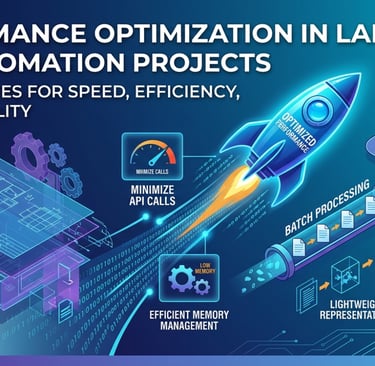
Advanced Overview
As CAD automation projects grow in size and complexity, performance becomes a critical factor. What works well for small scripts may fail when applied to large assemblies, massive datasets, or enterprise-level workflows.
Slow execution, memory issues, and inefficient code can reduce the effectiveness of automation. That’s why performance optimization is essential for building scalable and reliable CAD automation solutions.
Why Performance Optimization Matters
In large CAD automation projects, poor performance can lead to:
Increased execution time
System crashes or instability
Reduced productivity
Poor user experience
Optimizing performance ensures that your automation runs smoothly, even with complex models and large volumes of data.
Key Challenges in Large CAD Automation
When working with large-scale projects, you may face:
Handling large assemblies and complex geometry
Processing multiple files in batch operations
Managing memory efficiently
Reducing API call overhead
Maintaining responsiveness in UI-based tools
Understanding these challenges is the first step toward solving them.
Best Practices for Performance Optimization
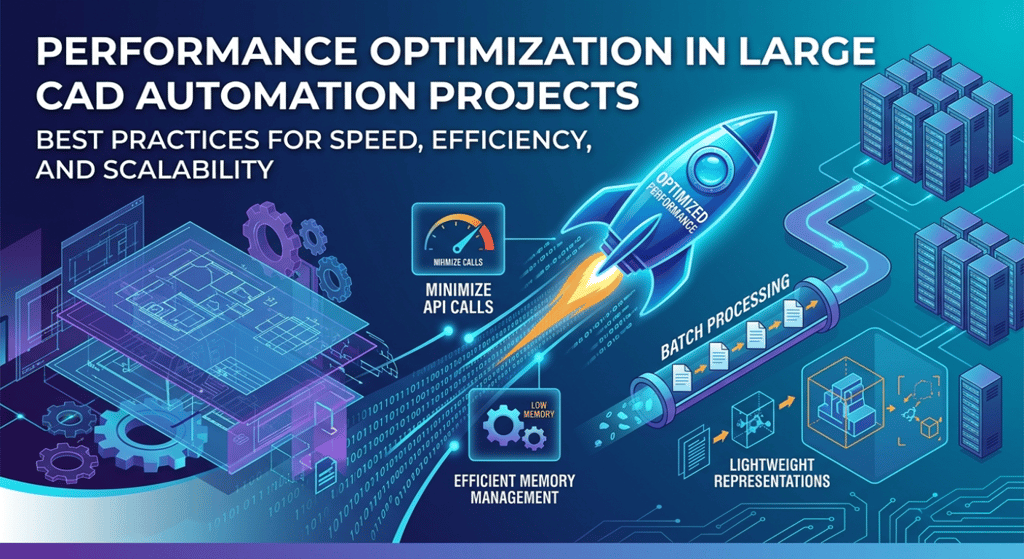
1. Minimize API Calls
Frequent API calls can slow down your automation significantly.
Combine operations where possible
Avoid unnecessary repeated calls
Cache frequently used data
Reducing API interactions improves execution speed.
2. Optimize Loops and Logic
Inefficient loops can drastically increase processing time.
Avoid nested loops when possible
Use optimized data structures
Process only required elements
Smart logic leads to faster automation.
3. Use Batch Processing Efficiently
When working with multiple files or components:
Process files in controlled batches
Avoid loading unnecessary data
Close unused documents to free memory
Batch optimization helps handle large datasets smoothly.
4. Manage Memory Properly
Memory management is crucial in large projects.
Release unused objects
Avoid memory leaks
Use lightweight data handling techniques
Efficient memory usage prevents crashes and improves stability.
5. Work with Lightweight Representations
Instead of loading full models:
Use simplified or lightweight versions
Suppress unnecessary features
Load only required components
This reduces system load and speeds up processing.
6. Implement Error Handling and Logging
Proper error handling prevents system failures.
Use try-catch blocks
Log errors and execution steps
Monitor performance metrics
This helps identify and fix performance bottlenecks quickly.
7. Optimize User Interface (UI) Performance
For tools with UI:
Avoid unnecessary UI updates
Use background processing
Keep interfaces simple and responsive
A smooth UI improves overall user experience.
Real-World Applications
Performance optimization is essential in scenarios like:
Large assembly automation
Batch processing of CAD files
Enterprise-level CAD customization
Integration with PLM/ERP systems
High-volume design automation workflows
These applications demand speed, stability, and scalability.
Conclusion
Performance optimization is not just a technical improvement—it’s a necessity for large CAD automation projects. By minimizing API calls, optimizing logic, managing memory, and using efficient workflows, you can build powerful and scalable automation solutions.
As projects grow, optimized performance ensures your automation remains fast, reliable, and efficient.
Contact Us
💼 At Descode Solutions, we specialize in:
✔ CATIA & NX Automation Training
✔ Real-time Industry Projects
✔ CAD Customization & API Development
📈 Learn smarter. Automate faster. Accelerate your career in CAD automation.
📩 Looking to upgrade your skills or optimize your automation projects? Connect with us today!
📞 Phone: +91 9544 123 321 🌐 www.descodesolutions.com
📧 info@descodesolutions.com
CAD Automation Training
Expert CAD Automation training for professionals and students
OUR COURSES
Contact
info@descodesolutions.com
(+91) 9544 123 321
Copyright © 2026 Descode Solutions LLP
NX Customization
CATIA Customization
AutoCAD Customization
Solidworks Customization
Solid Edge Customization
Revit Customization
Inventor Customization
Creo Customization