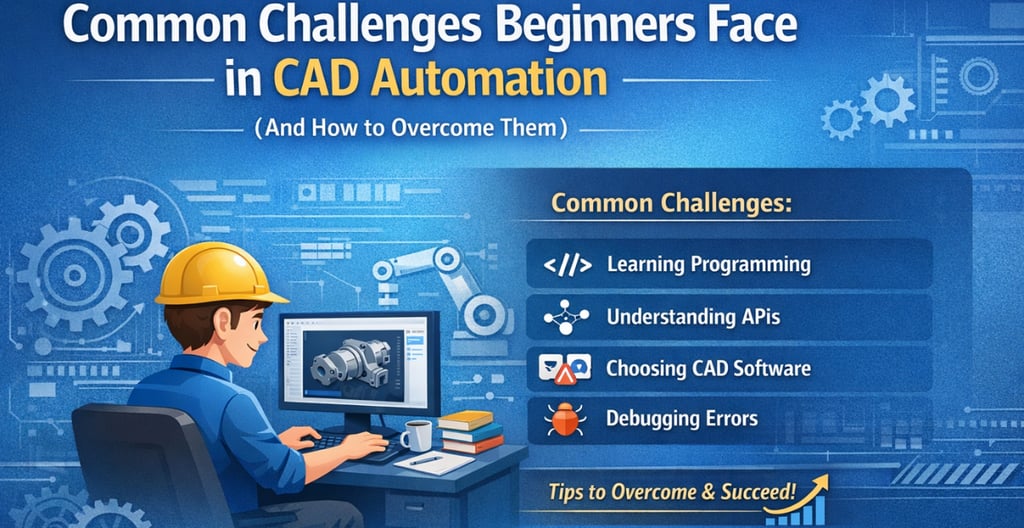
Common Challenges Beginners Face in CAD Automation (And How to Overcome Them)
3/26/20262 min read
Common Challenges Beginners Face in CAD Automation (And How to Overcome Them)
Introduction
CAD Automation is transforming the way engineers design and work. It helps reduce repetitive tasks, improves accuracy, and boosts productivity. However, for beginners, stepping into CAD Automation can feel challenging without the right direction.
Many learners start with enthusiasm but face confusion along the way. The good news is—these challenges are common and can be overcome with the right approach and guidance.
In this blog, we will explore the most common challenges beginners face in CAD Automation and how you can overcome them effectively.
1. Lack of Programming Knowledge
One of the biggest hurdles for beginners is programming. Since CAD Automation involves languages like Python, C#, or VB.NET, many learners feel intimidated.
How to overcome this:
Start with basic programming concepts such as variables, loops, and conditions. Focus on simple examples related to CAD.
2. Difficulty Understanding APIs
APIs are essential for connecting code with CAD software, but beginners often struggle to understand how they work.
How to overcome this:
Begin with simple API commands and gradually move to advanced functions. Practice regularly with real examples.
3. Choosing the Right CAD Software
With multiple tools like NX, CATIA, SolidWorks, AutoCAD, and Revit available, choosing the right one can be confusing.
How to overcome this:
Focus on one software based on your career goal and master it before moving to others.
4. Difficulty in Applying Concepts Practically
Many beginners understand theory but struggle when it comes to real-world implementation.
How to overcome this:
Work on practical projects such as automating drawings, creating parametric models, or generating reports.
5. Feeling Overwhelmed by Too Many Concepts
CAD Automation involves multiple areas like programming, CAD tools, APIs, and logic building, which can feel overwhelming.
How to overcome this:
Follow a structured learning roadmap and focus on one concept at a time.
6. Debugging Errors and Fixing Issues
Errors in code are common and can be frustrating for beginners.
How to overcome this:
Learn debugging techniques, read error messages carefully, and practice troubleshooting.
7. Lack of Proper Guidance
Self-learning without direction often leads to confusion and slow progress.
How to overcome this:
Seek expert guidance and follow a structured training path.
8. Not Understanding Industry Requirements
Many beginners focus only on theory and are unaware of real industry expectations.
How to overcome this:
Learn industry-relevant tools, workflows, and build a strong project portfolio.
Conclusion
Facing challenges while learning CAD Automation is completely normal. Every beginner goes through this phase. The key is to stay consistent, practice regularly, and follow the right learning path.
With proper guidance and hands-on training, you can overcome these challenges and build a successful career in CAD Automation.
Start Your Career with Expert Guidance
If you are serious about mastering CAD Automation and building a strong career, learning from the right platform is important.
Descode Solutions offers industry-focused CAD Automation training with real-time projects, expert mentorship, and career support.
📧 Email: descodesolutions@gmail.com
🌐 Explore: CAD Customization Courses
📞 Phone: +91 9544 123 321
CAD Automation Training
Expert CAD Automation training for professionals and students
OUR COURSES
Contact
info@descodesolutions.com
(+91) 9544 123 321
Copyright © 2026 Descode Solutions LLP
NX Customization
CATIA Customization
AutoCAD Customization
Solidworks Customization
Solid Edge Customization
Revit Customization
Inventor Customization
Creo Customization