
CAA vs CATIA Macros: Which One Should You Learn First?
Discover the difference between CATIA Macros and CAA (Component Application Architecture), and find out which one you should learn first to build a successful career in CAD automation.
3/30/20263 min read
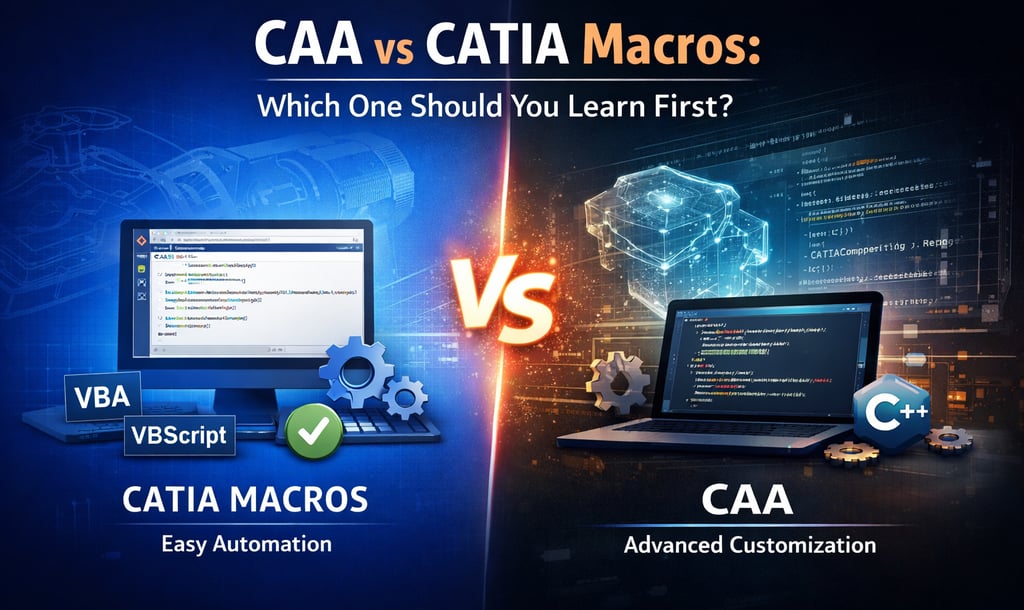
CAA vs CATIA Macros: Which One Should You Learn First?
Introduction
In today’s fast-evolving engineering landscape, CAD automation has become a key skill for improving productivity and reducing repetitive work. CATIA, one of the most powerful design tools, offers multiple ways to automate tasks—primarily through CATIA Macros and CAA (Component Application Architecture).
For beginners and professionals alike, choosing between these two can be confusing. Understanding their differences, capabilities, and learning curve is essential to make the right decision for your career.
What are CATIA Macros?
CATIA Macros are simple automation scripts used to perform repetitive tasks within the CATIA environment. They are typically written in VBScript or VBA and are widely used by design engineers to save time and improve efficiency.
Macros are easy to create and execute, making them the perfect entry point for anyone new to CAD automation. With minimal programming knowledge, users can automate tasks such as creating geometry, modifying parameters, and processing multiple files.
Another major advantage of macros is the record-and-play (journaling) feature, where CATIA records your manual actions and converts them into a script. This helps beginners quickly understand how automation works in real scenarios.
What is CAA (Component Application Architecture)?
CAA is a powerful and advanced development framework provided by Dassault Systèmes for deep customization of CATIA. Unlike macros, CAA is based on C++ and allows developers to interact directly with CATIA’s internal architecture.
With CAA, you can go far beyond basic automation. It enables the creation of custom workbenches, new features, user interfaces, and fully integrated engineering applications. This makes it ideal for organizations that require high-level customization and scalable solutions.
However, CAA comes with a steep learning curve. It requires strong programming skills, a deep understanding of CATIA architecture, and a proper development setup.
Key Differences Between CAA and CATIA Macros
The main difference between CATIA Macros and CAA lies in their complexity and capabilities. Macros are lightweight, quick to implement, and suitable for day-to-day automation tasks. In contrast, CAA is designed for building robust, enterprise-level applications with deep system integration.
While macros operate within the existing CATIA environment, CAA allows you to extend and customize the software itself. This makes CAA significantly more powerful—but also more complex.
Advantages of CATIA Macros
One of the biggest advantages of CATIA Macros is their simplicity. Engineers can quickly learn and start using macros without requiring extensive programming knowledge. They are perfect for automating repetitive tasks, improving workflow efficiency, and reducing manual errors.
Macros also allow rapid development and testing, making them highly practical for small to medium-scale automation needs.
Advantages of CAA
CAA offers unmatched flexibility and control over CATIA. It enables developers to create advanced tools tailored to specific engineering requirements. From custom UI development to integrating CATIA with PLM systems, CAA opens the door to high-level customization.
It is especially valuable for large organizations where automation needs go beyond simple scripting and require scalable, maintainable solutions.
Which One Should You Learn First?
If you are a beginner, starting with CATIA Macros is the best approach. They provide a strong foundation in automation and help you understand how CATIA works internally. You can quickly see results, which builds confidence and practical knowledge.
Once you are comfortable with macros and have a basic understanding of programming concepts, you can gradually move to CAA. Learning CAA after macros makes the transition smoother and more effective.
For professionals aiming for advanced roles in CAD customization or software development, mastering CAA is a valuable long-term goal.
Recommended Learning Path
The ideal learning path is to begin with macros and then progress to CAA. Start by automating simple tasks, explore CATIA’s object model, and gain hands-on experience. After that, invest time in learning C++ and understanding CATIA’s architecture before diving into CAA development.
This step-by-step approach ensures a strong foundation and better career growth in CAD automation.
Final Thoughts
Both CATIA Macros and CAA play a crucial role in CAD automation—but they serve different purposes.
👉 Macros are your entry point—fast, simple, and effective.
👉 CAA is your long-term investment—powerful, scalable, and industry-grade.
Conclusion
Both CATIA Macros and CAA are essential tools in the world of CAD automation, but they serve different purposes. Macros are simple, fast, and ideal for beginners, while CAA is powerful, complex, and suited for advanced customization.
Choosing the right one depends on your current skill level and career goals. Start small, build your expertise, and gradually move towards advanced solutions.
At Descode Solutions, we help engineers master both beginner and advanced automation technologies to stay competitive in today’s evolving engineering landscape.
Contact Us
📧 Email: info@descodesolutions.com
🌐 Website: www.descodesolutions.com
📞 Phone: +91-9544 123 321
CAD Automation Training
Expert CAD Automation training for professionals and students
OUR COURSES
Contact
info@descodesolutions.com
(+91) 9544 123 321
Copyright © 2026 Descode Solutions LLP
NX Customization
CATIA Customization
AutoCAD Customization
Solidworks Customization
Solid Edge Customization
Revit Customization
Inventor Customization
Creo Customization